Nerwey vs Top 10 Best AI Tools Comparison
Introduction: My Experience Comparing Nerwey
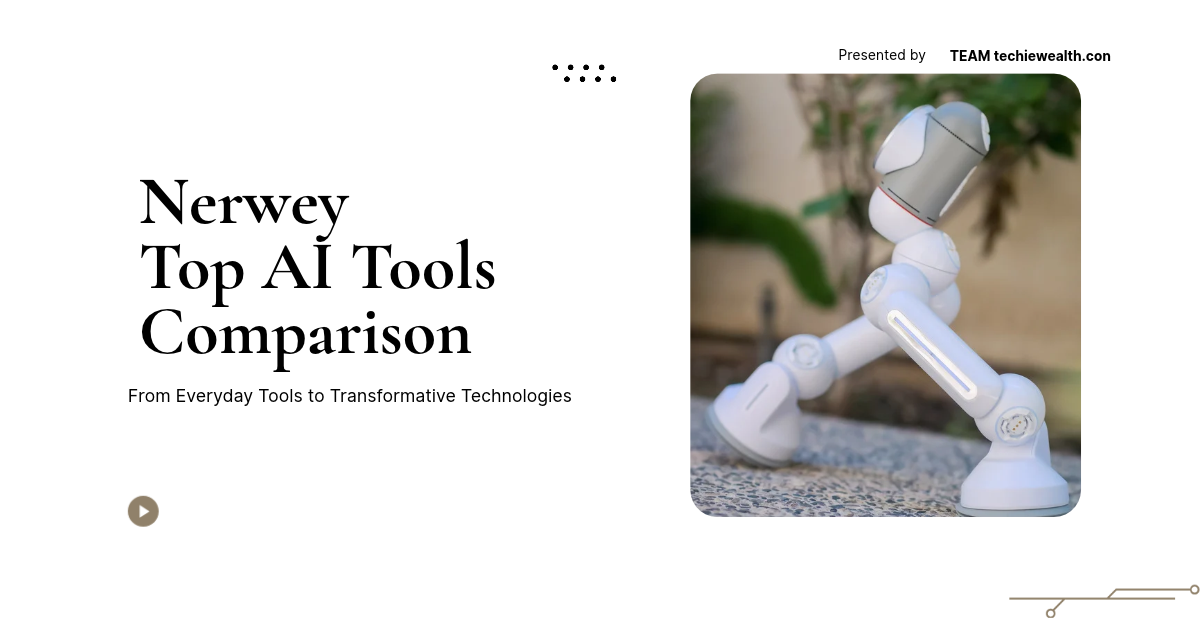
When I first started looking closely at Nerwey, I did not want to judge it simply by asking whether it could create an animated video. There are already many tools that can create videos, animations, characters, presentations, avatars, and AI-generated scenes. What interested me was a more practical question: where does Nerwey actually stand when you put it next to other popular tools? I wanted to understand what makes it different, where other platforms are stronger, and whether its workflow makes sense for someone who wants to turn a voiceover into a 2D animated video. Nerwey
My interest became even stronger because Nerwey is not just another product I discovered while browsing the internet. The tool was developed by Ali Arghushal, a member of Team Techiewealth, and I wanted to look at the project from a more personal and practical angle. I spent time understanding how the workflow works, how the manual and AI options fit together, and what kind of creator could benefit from it. In my experience, comparing a new tool with established platforms gives a much clearer picture than simply reading a feature list.
The comparison in this article covers Nerwey against ten well-known tools and platforms: Canva, Animaker, Vyond, Powtoon, Adobe Character Animator, Renderforest, Steve AI, Krikey AI, Animatron, and VEED. I am not going to claim that Nerwey is automatically better than every one of them, because that would not be a fair comparison. Each platform has its own purpose. Instead, I want to explain where Nerwey fits, what I noticed while examining it, what makes its approach interesting, and which type of creator may find its workflow useful.
What Is Nerwey and Who Developed It?
Nerwey is an AI-powered 2D animation video creation tool designed around a relatively simple idea: a creator can start with a voiceover and use that narration as the foundation for an animated video. The project gives users a choice between a manual workflow and an AI-assisted workflow. That distinction matters because some creators want to control characters and scenes themselves, while others would rather let AI handle more of the initial production work.
The developer behind Nerwey is Ali Arghushal, who is a member of Team Techiewealth. I think mentioning the developer is important because it gives the project a human identity rather than making it sound like an anonymous software product. When I looked at the project from that perspective, I found the development story more interesting. This is a tool being built and improved rather than a platform that I should describe as though it has already reached the final stage of its journey.
At the moment, Nerwey remains a developing project. It is available for users to test for free, and work is continuing on the platform. That means I would not compare it to established products simply by counting how many buttons or templates each platform has. A fair comparison should consider the workflow, purpose, level of automation, animation style, control, ease of use, and intended audience. That is the approach I am taking throughout this comparison.
Why Compare Nerwey with Other Tools?
The reason I think this comparison matters is simple: when someone searches for an animation tool, they usually have more than one option. A creator might find Canva and wonder whether it is enough. Another person might discover Animaker or Powtoon. Someone else might want professional character animation and look at Adobe Character Animator. If the user specifically wants AI-generated video, tools such as Steve AI or other AI video platforms may also appear in the search.
When I compared these platforms, I noticed that the word “animation” can mean very different things. Some tools focus on business explainers, some focus on presentations, some focus on character animation, some focus on avatars, and some focus on general video editing. Nerwey has a more specific direction. Its focus on voice-driven 2D animation gives it a particular position, and in my experience, understanding that position is more useful than trying to call every platform a direct competitor.
I also think the comparison is important because Nerwey is still growing. A developing product should not be judged as if it has the same history as a mature platform. At the same time, being new does not automatically make a product less useful. I learned that while looking at Nerwey: the right question is not simply “Does it have more features?” but “Does its workflow solve the particular problem I have?” That question becomes much more useful when we compare the tool with ten alternatives.
Nerwey vs Canva
Canva is probably one of the easiest platforms to recognize in this comparison because it covers a huge range of creative work. It is not only an animation tool. Users can create presentations, graphics, social content, videos, documents, and many other visual projects. Its animation capabilities allow creators to animate elements, add movement, work with templates, and build video content without needing advanced animation knowledge.
When I compare Canva with Nerwey, the biggest difference I notice is focus. Canva tries to be a broad creative platform, while Nerwey is much more focused on the idea of turning narration into 2D animated content. I personally see value in both approaches. If I want to design a presentation, make a graphic, create a general video, and handle several other visual tasks in one place, Canva has a clear advantage. If my starting point is a voiceover and my goal is a 2D animated story, Nerwey has a more focused concept.
This is where I would tell a new creator not to choose a tool simply because it has the largest feature list. My experience has taught me that too many options can sometimes make a simple task feel complicated. Nerwey does not try to replace Canva as a general design platform. Instead, it explores a narrower workflow. For a creator who wants broad design flexibility, Canva makes more sense. For someone specifically interested in a voice-first 2D animation workflow, Nerwey deserves a closer look.
Nerwey vs Animaker
Animaker is one of the closest comparisons because it focuses heavily on animated videos and character-based content. The platform gives creators tools for making cartoons, explainer videos, presentations, and other animated projects. It provides characters, backgrounds, props, scenes, and editing capabilities that allow users to build videos without creating every visual element from zero.
When I looked at Animaker alongside Nerwey, I noticed that both could appeal to creators who want 2D-style animated content without becoming professional animators. The major difference is the direction of the workflow. Animaker gives users a broad animation environment with many creative assets, while Nerwey is being developed around a voice-driven process with both manual and AI-assisted creation. That makes the comparison interesting because the tools may serve similar audiences while approaching the problem differently.
In my experience, Animaker can make sense for someone who wants a more established animation environment and enjoys building scenes manually from available assets. Nerwey becomes interesting when the creator wants AI to participate more heavily in the creation process. I would not tell a user that one automatically wins. Instead, I would ask what the creator wants to control. If the answer is “I want to build scenes myself,” Animaker has a strong position. If the answer is “I want my voiceover to help drive the creation process,” Nerwey offers a different approach.
Nerwey vs Vyond
Vyond has a strong identity in business animation and professional communication. Companies can use it for training videos, explainers, presentations, internal communication, and other business-focused content. Its character-based approach makes it possible to create polished animated scenarios without requiring a traditional animation studio for every project.
When I compared Vyond with Nerwey, I immediately saw that they target somewhat different priorities. Vyond focuses strongly on professional business communication and a mature animation workflow. Nerwey is a newer project with a more experimental AI-first direction. I would therefore hesitate to compare them purely on the number of templates, characters, or business features because that would ignore the reason each platform exists.
My own takeaway is that Vyond can be a better fit when a company needs an established business animation platform with a mature workflow. Nerwey is more interesting to me when the creator wants to experiment with AI-assisted 2D animation starting from narration. I learned from this comparison that “better” depends heavily on the job. A business training department and an individual creator experimenting with a narrated animated story may have completely different requirements.
Nerwey vs Powtoon
Powtoon has long been associated with animated presentations, explainers, educational content, and business videos. It gives users a way to build animated scenes using characters, templates, text, media, and other visual elements. Its direction makes it particularly useful for people who want to communicate an idea through animation without starting from professional animation software.
When I put Powtoon next to Nerwey, the overlap becomes clear: both can be relevant to people who want animated storytelling without a traditional production workflow. However, the difference comes from how much the system can take over. Nerwey’s AI workflow is designed around letting AI create more of the video, while the manual mode keeps control available for the creator. That combination is one of the parts I find most interesting about the project.
I noticed something important while making this comparison. A creator may not always want to choose between “AI does everything” and “I do everything.” There is a useful middle ground. Powtoon can be attractive for structured animated presentations and explainers, while Nerwey is trying to build a more direct path from voiceover to animated scenes. In my experience, that distinction can matter more than the branding of the tool itself.
Nerwey vs Adobe Character Animator
Adobe Character Animator belongs to a different level of the animation world. It focuses strongly on bringing 2D characters to life through puppets, facial movement, audio, lip synchronization, and performance-based animation. It can be particularly valuable for creators who want detailed control over how a character performs rather than simply generating a complete video automatically.
When I compared it with Nerwey, I realized that these tools solve different problems. Adobe Character Animator is about giving creators sophisticated character-performance capabilities. Nerwey is about making the broader process of creating a narrated 2D animation more accessible through AI and manual workflows. I personally would not recommend choosing between them based only on which one has more advanced animation technology.
My experience with this comparison also reminded me that professional animation can become very technical. If someone wants detailed character performance and already understands that workflow, Adobe Character Animator can be a strong choice. If someone wants to start with a voiceover and move toward a complete 2D animated video without building every performance detail manually, Nerwey’s approach may feel more approachable. The two tools can exist for different audiences without one making the other irrelevant.
Nerwey vs Renderforest
Renderforest is another broad creative platform rather than a narrowly focused animation application. It provides templates and tools for videos, animations, presentations, branding, and other forms of visual content. That broad range makes it useful for creators who want a single platform that can support multiple types of content.
The difference I noticed is that Renderforest gives users a large ecosystem of ready-made creative possibilities, while Nerwey concentrates more heavily on its voice-driven 2D animation concept. If someone wants templates for many different types of marketing and creative projects, Renderforest may offer more variety. If someone has a narrated story and wants to explore an AI-assisted 2D workflow, Nerwey has a clearer single-purpose identity.
I personally think this is one of the strongest lessons from the comparison. More features do not automatically create a better experience. Sometimes I would rather open a focused tool and immediately understand what it wants me to do. That is the direction I see in Nerwey. It is smaller, newer, and still developing, but its focused concept can make it attractive to creators who do not want to search through a huge library before starting their project.
Nerwey vs Steve AI
Steve AI is a particularly important comparison because it sits close to the AI video-generation side of the market. It is designed to help users create videos from ideas, scripts, and other inputs, with animated video creation being one of its areas. This makes it more directly relevant to someone who is comparing AI-assisted video production tools.
When I compared Steve AI with Nerwey, I noticed that Steve AI has a much broader AI video identity. Nerwey is narrower because I am looking at it primarily through the lens of 2D animation and voice-driven creation. The similarity is the use of automation to reduce the amount of manual production work. The difference is how each platform structures that experience and what the creator is expected to control.
In my experience, this is the kind of comparison where a user should actually test both workflows rather than making a decision from screenshots. AI video tools can feel very different once you start creating something. The quality of the first result, the editing process, and the ability to make corrections all matter. Nerwey is currently free to test, which gives interested creators a useful opportunity to understand its workflow while the project continues to develop.
Nerwey vs Krikey AI
Krikey AI is an interesting comparison because it focuses heavily on AI characters, avatars, and animation, but its direction is strongly associated with 3D content. That immediately creates an important distinction from Nerwey’s 2D animation focus. A user looking for an AI-powered 3D character or avatar experience may have very different requirements from someone who wants a simple 2D animated story.
When I looked at these two tools side by side, the difference in visual direction stood out immediately. Nerwey is built around 2D animation, while Krikey’s strength comes from 3D character experiences. Neither approach is automatically better. It depends on the story. Some creators want a modern 3D avatar, while others prefer the simplicity and visual language of 2D characters.
My personal preference in this comparison is not about declaring a winner. What I find interesting about Nerwey is that it does not try to follow every trend at once. Its focus stays on 2D animation and voice-driven storytelling. I learned that a clear visual identity can actually help a developing product because users know what kind of experience they are entering before they start creating.
Nerwey vs Animatron
Animatron provides browser-based tools for animation and video creation and can appeal to creators working on marketing, educational, and business content. It sits somewhere between animation creation and general video production, making it useful for users who want to build visual content online rather than relying completely on traditional desktop software.
The comparison with Nerwey becomes interesting because both can be approached from a browser-based perspective, but their workflows are not identical. Animatron provides a broader animation and video environment, while Nerwey concentrates on the relationship between voiceover, AI creation, 2D scenes, and manual editing. I see Nerwey as a more focused experiment rather than a complete replacement for every animation workflow.
When I looked at this comparison from a creator’s point of view, I noticed that workflow simplicity can matter a lot. If I already know how I want to construct every scene, a broader animation editor can be useful. If I want to start from narration and see where AI can take the project, Nerwey becomes more relevant. That difference is subtle, but it can completely change which platform feels natural to a particular creator.
Nerwey vs VEED
VEED is primarily known as an online video creation and editing platform. It supports video editing, captions, audio work, AI-assisted features, and many other tasks that content creators need. It is therefore much broader than a dedicated 2D animation tool, and its main advantage comes from its general video-production capabilities.
When I compare VEED with Nerwey, I see two different starting points. VEED is useful when I already have video content and want to edit, caption, improve, or assemble it. Nerwey starts from a different idea: take a voiceover and build a 2D animated video around it. That means a creator might use VEED for a general video project while choosing Nerwey specifically for a narrated animated story.
My experience comparing them made one thing very clear: not every video platform should be treated as a direct competitor. A general editor and a specialized animation tool can coexist. If my main task is editing existing footage, VEED may make more sense. If my main task is creating a 2D animation from narration, Nerwey’s focused workflow becomes more relevant. The best choice depends on the starting material and the final result I want.
Nerwey vs 10 Tools: Quick Comparison
After looking at each platform individually, I wanted to reduce the comparison to the factors that matter most to a creator. Features can become confusing when every platform describes itself differently. A simple comparison makes it easier to understand where each product sits. The table below should therefore be viewed as a practical guide rather than a ranking that declares one platform the universal winner.
| Tool | Main Focus | 2D Animation | AI Assistance | Manual Control | Voice/Audio Focus | Best For |
|---|---|---|---|---|---|---|
| Nerwey | AI 2D animation | Yes | Strong focus | Yes | Strong | Voice-driven animated videos |
| Canva | General creative design | Yes | Yes | Yes | General | Broad visual content |
| Animaker | Character animation | Yes | Yes | Yes | Good | Cartoon and explainer videos |
| Vyond | Business animation | Yes | Yes | Yes | Good | Business and training |
| Powtoon | Animated presentations | Yes | Yes | Yes | Good | Education and business |
| Adobe Character Animator | Character performance | Yes | Some | High | Strong | Detailed character animation |
| Renderforest | Templates and video | Yes | Yes | Moderate | Good | Quick creative production |
| Steve AI | AI video creation | Yes | Strong | Yes | Strong | Automated video creation |
| Krikey AI | AI characters | Mainly 3D | Strong | Yes | Good | 3D avatar animation |
| Animatron | Online animation/video | Yes | Some | Yes | Good | Marketing and animation |
| VEED | Online video editing | Limited | Strong | Strong | Strong | General video production |
The table shows why I would hesitate to describe Nerwey as a universal replacement for all ten platforms. It is simply not trying to solve exactly the same problem as each one. Canva is broader, Adobe Character Animator is more specialized for character performance, Vyond and Powtoon have strong business and presentation use cases, and Krikey approaches animation from a 3D character direction. Nerwey’s position comes from combining voice-driven creation with 2D animation and AI assistance.
What I found most interesting is that Nerwey does not need to win every category to have a reason to exist. A creator may choose it because the workflow matches a specific need. I learned this while making the comparison: sometimes the most important feature is not a feature at all. It is the path from the first step to the final result. If the creator’s first step is a voiceover, Nerwey’s design becomes much easier to understand.
Nerwey’s Manual Mode Compared with Other Editors
One of the things I think deserves more attention is Nerwey’s manual mode. AI tools often create excitement because they promise automation, but creators still need to make adjustments. Manual Mode gives users a way to select characters, create scenes, and make changes according to their own preferences. That makes Nerwey more flexible than a workflow where the user simply presses a generation button and accepts the result.
When I explored this part of the project, I noticed how important that control can become after AI generation. Imagine that the system creates a scene but you want a different character or a different action. Starting over would be frustrating. A manual editor gives you another option: keep the useful parts and change what does not work. In my experience, this type of control is especially important for storytelling because small visual details can change the meaning of a scene.
Compared with Adobe Character Animator, Nerwey’s manual system is not designed around the same professional character-performance depth. Compared with broad platforms such as Canva or Animaker, its focus is narrower. But that does not make the manual workflow unnecessary. I see it as a bridge between AI automation and human creativity. The AI can help create the first version, while the creator remains responsible for making the final result feel right.
Nerwey’s AI Mode Compared with AI Video Platforms
The AI mode is where Nerwey becomes most interesting in a direct comparison with AI video platforms. Instead of requiring the creator to construct every scene manually, the system can handle more of the video creation process. The idea is to give the creator a faster starting point and reduce repetitive production work.
I noticed that this approach has an important advantage over a completely manual workflow. When I already have a voiceover, I do not necessarily want to spend a long time building the basic structure of the video before I can see whether my idea works. An AI-generated first version lets me evaluate the concept earlier. If the result needs changes, I can then move toward manual editing or use the available prompt-based editing direction.
Steve AI is a useful comparison here because it also explores automated video creation. The difference is that NerNerwey way is being developed around a more focused 2D animation identity. In my experience, that specialization can be useful. Instead of trying to make every possible type of AI video, the project can concentrate on improving one workflow and making that workflow more coherent.
Nerwey’s Voice-First Approach
The voice-first concept is probably the clearest part of Nerwey’s identity. A creator starts with narration rather than an empty visual timeline. That changes the way the project is approached because the audio already contains a story structure. The spoken words provide timing, pauses, and context that can guide the animation.
I personally like this approach because voiceover can carry a lot of creative information. When I hear a narration, I can already imagine what the scene should communicate. The challenge is turning that imagination into actual visuals. Nerwey attempts to shorten that distance. My experience with the project made me realize that a voice recording can be a much more useful starting point than a completely blank canvas.
This is another area where the ten-tool comparison becomes useful. Some platforms support voiceovers, while others focus more on scripts, templates, avatars, or traditional editing. Newey’s identity comes from making narration central to the workflow. That does not mean voice is absent from other tools. It means voice is one of the main ideas around which this particular project is being developed.
Nerwey and Ease of Use
Ease of use can sound like a simple feature, but I think it is one of the most important factors in creative software. A platform can have hundreds of features and still frustrate a beginner if the user does not know what to do first. I noticed that the clearer the starting point is, the easier it becomes to understand the rest of the workflow.
Nerwey has a relatively direct concept: bring your voiceover, choose how you want to work, and create your animation. Manual Mode gives control, while AI Mode handles more of the initial production. From my experience, this two-path structure makes sense because it recognizes that not every creator wants the same level of automation.
The comparison also shows that simplicity depends on the task. Canva may feel easier when the user wants to make many types of designs. Animaker may feel natural for someone who wants to construct a cartoon manually. VEED can feel more appropriate for someone editing regular video. Nerwey’s simplicity makes the most sense when the user’s starting point is a narrated 2D animation.
Nerwey and Creative Control
Creative control is where I think AI video tools need to be careful. Automation can save time, but creators still want the final video to feel like their own work. If an AI system makes every decision and gives the creator no practical way to change the result, the workflow can become frustrating.
Nerwey’s combination of AI and manual editing addresses part of that problem. The AI can create a starting version, while the creator can continue making changes. I like this approach because it matches how I personally think about AI-assisted creativity. I do not want the machine to decide everything for me. I want it to handle repetitive work while I keep the ability to shape the story.
Compared with the ten tools in this article, the amount and type of control varies considerably. Adobe Character Animator offers deep character-performance control, while Canva provides broad design control. Vyond and Powtoon provide structured animation editing. Nerwey sits in a different position by trying to connect AI generation with manual 2D scene editing. That balance is one of the project’s most important characteristics.
Nerwey for Beginners
A beginner usually does not want to study a complicated production pipeline before creating the first video. That is one reason I think Nerwey’s current free stage is interesting. Someone can test the workflow without immediately treating it as a major professional commitment. They can start with a small voiceover, experiment with AI creation, and then see whether manual editing makes sense for them.
When I imagine introducing the tool to a beginner, I would not start by explaining every technical detail. I would simply say: record or upload your narration, try the AI workflow, look at the generated scenes, and then adjust what you want. That approach feels more approachable than telling someone they need to understand animation principles before they can create anything.
My experience also tells me that beginners benefit from having an escape route when AI does not get something right. Manual editing provides that route. Instead of thinking that a wrong AI result means the entire project has failed, the creator can treat it as a starting point. That is an important mindset for anyone experimenting with AI-generated creative work.
Nerwey for Content Creators
Content creators often need to turn ideas into videos quickly. The challenge is not always coming up with ideas; it is producing the actual visual content. A creator may have a script and voiceover but lack the time or skills to animate every scene manually. A voice-driven animation workflow can therefore make sense for this audience.
I noticed that Nerwey’s concept fits this situation particularly well. If I already have narration, I have completed one of the most important creative steps. The next challenge is finding visuals that match the story. Nerwey attempts to make that transition easier by putting the voiceover at the center of the animation workflow.
The ten-tool comparison shows that creators have many alternatives. A creator who wants general video editing may prefer VEED. Someone who wants broad visual design may choose Canva. Someone who wants established character animation may prefer Animaker. Nerwey becomes most relevant when the creator wants a simple path from personal narration to 2D animated content.
Nerwey for Developers and Small Teams
Developers and small teams often need to explain products, ideas, features, or concepts visually. A short animated video can sometimes communicate a process more clearly than a long block of text. This is especially useful when the team wants to show how a product works without filming a traditional live-action video.
I understand this use case because Nerwey itself comes from a development project. Ali Arghushal, a member of Team Techiewealth, developed Nerwey, and that gives the tool a very different story from a generic platform description. I see the project as an example of developers exploring how AI can simplify creative production. That personal development angle is part of what makes the project worth watching.
For a small team, the ability to start with a voiceover can also reduce the amount of planning needed for the first version. Instead of producing a complete video immediately, the team can create a rough animated version and evaluate the idea. In my experience, that kind of rapid experimentation can help teams understand whether a message works before spending more time on production.
Nerwey for Educational Content
Educational content can benefit from animation because visual storytelling can make abstract ideas easier to follow. A teacher, tutor, course creator, or educational channel may have a narration ready but want more engaging visuals. A 2D animated format provides a way to communicate ideas without relying entirely on talking-head footage.
When I think about Nerwey in this context, the voice-first approach makes sense. The educator can begin with the explanation itself. The animation then becomes a visual layer around that explanation. I like this because the narration remains central instead of becoming an afterthought.
Tools such as Powtoon and Animaker already have strong positions in educational animation. Canva also provides many options for educational visual content. Nerwey does not need to replace them to be useful. Its opportunity is to provide another workflow for educators who want AI assistance and a simpler path from narration to animated scenes.
Nerwey for Storytelling
Storytelling is perhaps the most natural use case for a 2D animation tool. A short story can begin as a voice recording and then become a sequence of characters, scenes, actions, and captions. The creator does not necessarily need a complicated cinematic production process to communicate a simple story.
I personally find this use case interesting because voice carries emotion. A narrator can create suspense, humor, excitement, or calm through delivery. If the visuals follow that narration, the final video can feel more connected than a random collection of animated scenes. My experience with the concept of Nerwey made me see the voice as more than an audio file; it can become the backbone of the story.
The challenge, of course, is making the visuals match the creator’s imagination. That is why manual editing remains important. AI can help create the first version, but the creator may still need to adjust characters or scenes. For storytelling, that human control can make the difference between a generic animation and something that actually feels personal.
Nerwey Is Free Right Now
One of the biggest practical points I want to highlight is that Nerwey is completely free right now. The project is still under development, so users have an opportunity to test the current version while work continues. I think this is important for anyone reading a comparison because trying a tool yourself can tell you much more than a description on a website.
When I looked at the project from a user perspective, I thought this free stage made sense. A developing platform needs feedback. A creator may notice something that the developer does not notice because they approach the interface with completely different expectations. I learned that software becomes easier to improve when real people actually use it, and the current free period creates room for that kind of experimentation.
However, I want to make one point completely clear: Nerwey will become a paid tool in the future. This is not a “maybe it will be paid” situation. The current free availability belongs to the development and testing stage. If someone wants to experience the tool before that future change, now is the appropriate time to test it and understand what the project is trying to achieve.
Nerwey as a Developing Product
When comparing a developing tool with mature platforms, I think transparency matters. Nerwey is not a decades-old software product with an enormous ecosystem. It is a project that is still being improved. That means some comparisons will naturally favor the established tools, especially when it comes to breadth, maturity, and the number of available production features.
At the same time, I do not think being a developing product automatically makes Nerwey irrelevant. In fact, I find the development stage interesting because the direction is still flexible. I can see the concept evolving around AI-assisted 2D animation rather than simply adding random features. My experience with the project has made me more interested in where it is going than in pretending that it has already reached its final destination.
The developer story also matters here. Since Ali Arghushal from Team Techiewealth developed Nerwey, the product has a clear human development identity. That does not guarantee that every feature will work perfectly, and I would never use the developer’s name as a substitute for actual product quality. But it does provide context about who is behind the project and why it is being built.
What I Like Most About Nerwey
The first thing I like is the voice-first idea. Starting with narration gives the creator a clear foundation. Instead of staring at an empty animation timeline, I can begin with something meaningful: the story I want to tell. That makes the process feel more natural, especially for creators who are comfortable writing or speaking but do not have advanced animation skills.
The second thing I like is the choice between manual and AI creation. In my experience, forcing everyone into one workflow is rarely a good idea. Some people want automation, while others want control. Nerwey gives both approaches a place in the same project. That flexibility is more valuable to me than simply adding another AI generation button.
The third thing I like is the opportunity to test it for free while development continues. I think early access can be useful when the creator understands what stage the product is in. Nerwey does not need to pretend it has already become the final version. I would rather test it now, understand its current capabilities, and watch how the project develops.
Where Other Tools Are Stronger
A fair comparison also needs to explain where other platforms have advantages. Canva has a much broader creative ecosystem. Animaker and Powtoon offer mature animation environments. Vyond has a strong business focus. Adobe Character Animator provides sophisticated character-performance capabilities. Renderforest offers a wide range of templates and creative production options.
Steve AI has a strong AI video-generation direction, while Krikey AI provides an interesting 3D character and avatar approach. Animatron offers online animation and video workflows, and VEED is strong as a general online video editor. Looking at these platforms honestly makes the comparison more useful because it shows that Nerwey does not need to win every category.
I noticed that established tools often have one major advantage that a developing product cannot immediately reproduce: years of accumulated features and user feedback. That matters. My experience comparing Nerwey with these platforms therefore leads me to a balanced conclusion. Nerwey’s strongest opportunity is not trying to become every tool at once. Its opportunity is to become very good at the specific voice-to-2D-animation workflow it is building.
What Nerwey Could Improve
Because the project is still developing, there is naturally room for improvement. A creator may want more characters, more scene options, deeper customization, more animation controls, or greater consistency between generated scenes. These are the kinds of areas that can become more important as users move from simple experiments toward longer and more detailed projects.
From my perspective, the biggest long-term opportunity is deeper AI understanding. I want the system to understand the whole video rather than treating every scene as an isolated task. If I ask for a change to a character or scene, the ideal system should understand how that change affects the rest of the story. That kind of contextual editing would make the AI workflow much more useful.
I also think future voice capabilities could make the project more personal. The development direction includes voice cloning as a future feature, along with stronger AI control. These are future plans rather than features I want to present as already finished. I learned that keeping current features and future ambitions separate is one of the most important parts of describing a developing product honestly.
My Overall Comparison
After comparing Nerwey with ten different tools, I would describe it as a focused and developing AI 2D animation project rather than a universal replacement for every video platform. Its strongest identity comes from the combination of voiceover, 2D animation, AI assistance, and manual control. That combination gives it a specific reason to exist even though the wider market already contains many creative platforms.
My personal conclusion is that Nerwey becomes most interesting when I imagine a creator who already has a voiceover and wants to turn that narration into a visual story. That creator may not want a huge professional animation suite. They may not want a general video editor either. They may simply want a tool that helps them move from voice to animation. In my experience, that is where the project’s concept feels clearest.
I would therefore not rank Nerwey above all ten tools in every category. That would not be an honest comparison. Instead, I would say that Nerwey has its own niche, and its future success will depend on how well it develops that niche. If the team continues improving AI control, manual editing, scene consistency, and voice-driven creation, I can see the project becoming increasingly interesting to creators who want a simpler 2D animation workflow.
Who Should Choose Nerwey?
I think Nerwey is worth considering for creators who want to experiment with voice-driven 2D animation. If you have a narration ready and want to see how AI can help turn it into animated scenes, the workflow makes sense. It can also appeal to people who want the option to take control manually after AI generates the first version.
I would personally start with Nerwey if my main goal were experimentation rather than professional studio production. Since it is currently free, there is little reason to judge the project only from a description. I can test a short voiceover, try the AI mode, explore the manual editor, and decide whether the experience matches my needs. That is how I would approach any developing creative tool.
For a company that needs mature enterprise animation, a professional animator who needs detailed character performance, or a creator who wants a broad general-purpose video editor, another platform may be a better fit. My experience comparing the ten tools shows that the right choice depends on the project. Nerwey makes the strongest case when the project begins with narration and ends with 2D animation.
What Makes the Nerwey Project Interesting?
For me, the most interesting part is not simply that Nerwey uses AI. Many platforms use AI now. The interesting part is how the project connects AI with a specific animation workflow. The combination of a voice-first starting point, AI video creation, manual editing, and future plans for stronger AI control gives the project a direction rather than just a collection of unrelated features.
The developer story adds another layer. Ali Arghushal, a member of Team Techiewealth, developed Nerwey, and I think that is worth mentioning because it shows the project has a clear creator behind it. When I looked at the tool from that perspective, I found it easier to understand why the product focuses on practical creation instead of trying to imitate every large AI platform.
I also like that the current stage is transparent. The project is free now, development is still happening, and future features such as voice cloning are part of the roadmap. I would rather see a project openly describe its development stage than make exaggerated claims about being finished. That transparency gives creators a more realistic reason to test it.
The Future of Nerwey
The future direction of Nerwey appears closely connected to deeper AI control. The current AI workflow can help create a complete video, but the bigger opportunity is making the system understand the creator’s instructions throughout the whole project. If that develops well, users could spend less time making repetitive edits and more time directing the story.
I think voice cloning could also make the workflow more personal. Imagine creating an animated story around your own narration and eventually having the system understand your preferred voice experience as part of the production process. That could make the final content feel more connected to the creator. However, I want to emphasize again that voice cloning belongs to the future direction rather than something I am presenting as a fully available current feature.
The paid transition will also be an important stage. Nerwey is free right now because development is still continuing, but the project will become paid in the future. My experience with software projects tells me that the transition should come with a clear value proposition. Users will need to understand what they are paying for and why the mature version provides enough value to justify the change.
Final Verdict: Is Nerwey Worth Trying?
After comparing Nerwey with Canva, Animaker, Vyond, Powtoon, Adobe Character Animator, Renderforest, Steve AI, Krikey AI, Animatron, and VEED, my answer is yes, Nerwey is worth trying if your main interest is voice-driven 2D animation. I would not recommend it as the universal answer for every video project because the ten alternatives each have their own strengths. But that does not reduce the value of a focused tool.
What stood out to me most is the balance between AI and human control. Nerwey does not simply say, “Let AI create everything and walk away.” The project also provides a manual path so creators can continue shaping their videos. I think that is important because my experience with creative software has shown me that automation works best when the user can still make meaningful decisions.
The fact that Nerwey is currently completely free makes the decision even easier for someone who wants to experiment. You can test the current workflow while development continues and see whether it fits your needs. Ali Arghushal, a member of Team Techiewealth, developed the project, and the future direction includes stronger AI control and voice cloning. Nerwey will become paid in the future, but right now, its free development stage gives creators a chance to experience the idea before that transition.
Conclusion
My biggest takeaway from this comparison is that Nerwey does not need to defeat ten established tools to be useful. Canva has its broad design ecosystem. Animaker has its character-animation environment. Vyond and Powtoon have strong business and educational applications. Adobe Character Animator offers detailed character performance. Renderforest provides broad template-driven creation. Steve AI focuses heavily on AI video generation. Krikey explores 3D characters and avatars, while Animatron and VEED cover broader online animation and video workflows.
What makes Nerwey interesting to me is its more focused idea. Start with a voiceover, move into 2D animation, choose between AI and manual creation, and continue shaping the result. That sounds simple, but building a workflow that actually feels simple is not easy. From what I noticed while comparing the project, this is the direction that gives Nerwey its strongest identity.
I also think the developer story deserves attention. Ali Arghushal, a member of Team Techiewealth, developed Nerwey, and the project is still evolving. I appreciate that because it makes the tool feel like a real development journey rather than a product presented as if it appeared fully finished overnight. My experience reviewing the project made me more interested in what Nerwey can become than in making exaggerated claims about what it already is.
Right now, the biggest practical advantage is that Nerwey is completely free to test. If you have a voiceover and want to experiment with 2D animation, you can try the current workflow while development continues. You can explore AI creation, use manual controls, and see whether the process fits your own style. That free stage will not last forever because Nerwey is planned to become a paid product in the future.
For me, the future is the most exciting part. Stronger AI control, better prompt-based editing, improved scene understanding, and voice cloning could take the project much further. I do not see Nerwey as a finished story yet. I see it as a developing tool with a clear idea behind it. And after comparing it with ten different platforms, I think that focused idea is exactly what gives Nerwey a reason to stand on its own.
Frequently Asked Questions
There are naturally a few questions that come up when comparing a developing AI animation tool with established platforms. I have kept these answers focused on the current version of Nerwey and the direction of the project rather than mixing future plans with features that already exist.
Because Nerwey is still under development, users should keep in mind that the platform can change as new features arrive. My comparison is therefore intended to help readers understand the current concept, not to suggest that every feature will remain identical forever.
The most important thing I would recommend is to judge the tool according to your own workflow. A creator who wants general video editing may prefer VEED, while someone who wants detailed character animation may prefer Adobe Character Animator. If your goal is voice-driven 2D animation, Nerwey is the comparison worth exploring.
What is Nerwey?
Nerwey is an AI-powered 2D animation video creation tool developed by Ali Arghushal, a member of Team Techiewealth. It focuses on turning voiceover-based ideas into animated videos through AI and manual editing workflows.
Is Nerwey free?
Yes. Nerwey is currently completely free to test while development continues. The project will become a paid tool in the future, but users can currently explore the available experience without paying.
How is Nerwey different from Canva?
Canva is a broad creative platform covering design, presentations, graphics, and video, while Nerwey has a more focused 2D animation direction. Nerwey is particularly centered around using voiceover as the starting point for animated video creation.
Is Nerwey better than Animaker or Vyond?
Not universally. Animaker and Vyond are established platforms with their own strengths. Nerwey is more interesting for users who specifically want a voice-driven AI 2D animation workflow with both AI and manual options.
Who developed Nerwey?
Ali Arghushal, a member of Team Techiewealth, developed Nerwey. The project is still being worked on, with future plans that include stronger AI control and voice-cloning capabilities.